What Is a PDF Definition, Benefits, and History
Learn what a PDF is, how it works, its key benefits, security features, and history. Then edit, compress, or convert PDFs free
 بقلم Shiza Zahid•5 min read•Sep 21, 2026
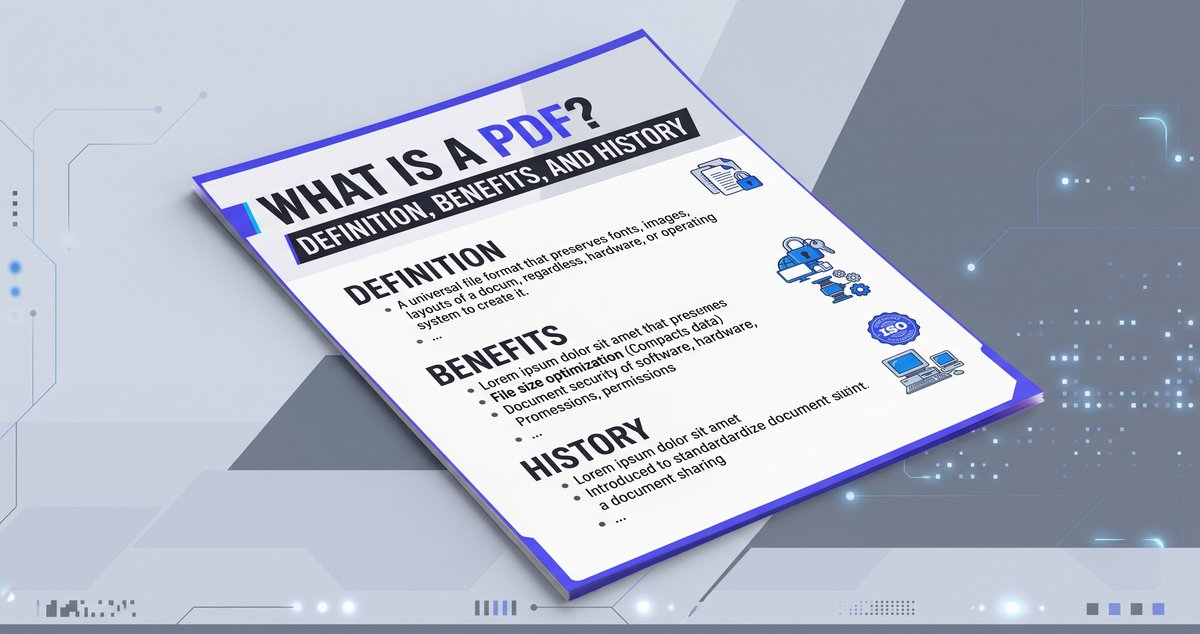
PDF stands for Portable Document Format. It is a file type that locks in your document's fonts, images, and layout so it looks identical on every screen and printer.
Chances are you open a PDF every week: a contract from a client, a research paper, an e-book, an invoice. But what actually makes this format so dominant, and why hasn't anything replaced it? Let's break it down.
PDF Meaning at a Glance
Full form: Portable Document Format
Purpose: keep a document's appearance consistent across devices and operating systems
Created by: Adobe, released in 1993
Best for: sharing, printing, and archiving finished documents
Editing: intentionally harder than in a word processor
PDF/A: a special version built for long-term archiving
What Is a PDF File?
A PDF is a universal document format. Whether it's opened on Windows, macOS, Linux, iOS, Android, or even an e-reader, it displays exactly as its creator intended. Today it is managed as an open international standard, ISO 32000.
Compare that with sending a PowerPoint file. Open it on a different computer or app and you'll often see shifted margins, moved images, or swapped fonts. A PDF removes that risk, because everything needed to display the page is packed inside the file.
Also, a PDF is not just a screenshot of your document. It stores real text, vector graphics, and images, so you can zoom in without blur, search for words, and even add comments or form fields on top.
Key Benefits of PDF
Works everywhere: any device, any operating system
Layout stays intact: fonts, spacing, and images don't move
Built-in protection: passwords, encryption, and digital signatures
Smaller files: images and content can be compressed with little visible loss
Handles long documents: from a one-page form to a several-hundred-page manual
Where PDFs Are Used
Business: contracts, invoices, proposals, reports
Education: e-books, study notes, academic papers
Design: portfolios where typography and layout must stay exact
Government: official forms and applications
Technical: user manuals and product documentation
Limitations to Know About
Editing needs the right tool
Files with heavy images can get large
Accessibility depends on how the PDF was made
The good news: all three are easy to fix with online tools. On tools4pdf.com, you can edit, compress, and convert PDFs right in your browser without installing anything.
How to Work With PDFs?
Opening a PDF
Modern browsers like Chrome, Firefox, and Safari open PDFs directly. You can also use a dedicated reader, Preview on Mac, or your phone's built-in viewer.
Creating a PDF
Use "Print to PDF" from any app
Export from Word, Google Docs, or similar editors
Scan paper documents with a phone or scanner
Convert files online with tools4pdf.com
Editing and Filling a PDF
Add comments and annotations for feedback
Fill in interactive form fields
Highlight and mark up text during review
Change text or images with an online PDF editor
Is PDF Secure?
Yes, when you use its security features:
Passwords: one to open the file, another to restrict editing
256-bit AES encryption for confidential documents
Digital signatures and certificates to verify who signed
Permission settings to block copying, printing, or editing
Redaction to permanently remove sensitive information
PDF Standards and Accessibility
ISO 32000: the official specification that keeps PDF tools compatible with each other
PDF/A: made for archiving; embeds all fonts and resources so the file stays readable decades later (it disallows encryption and external links)
Tagged PDF: contains structure data so screen readers can navigate the document
PDF vs Other Formats
Compare | Choose PDF when you need |
Identical layout everywhere | |
Selectable, searchable text plus sharp visuals | |
Multi-page documents with consistent formatting | |
Offline reading and print-ready pages |
Rule of thumb: use PDF for final documents, and keep Word or similar formats for drafts you're still editing.
A Short History of PDF
PDF was born in the early 1990s, when computers were multiplying and every system handled documents differently. The world needed one format that looked the same everywhere.
1991: Adobe co-founder John Warnock starts the "Camelot Project"
1993: Adobe releases PDF 1.0 with its first reader
2008: PDF becomes an open ISO standard (ISO 32000-1)
2020: PDF 2.0 arrives with better accessibility (ISO 32000-2)
Because of Adobe's early role, many people still link PDF only with Adobe. But since it became an open standard, many faster and more affordable tools have appeared.
Work With PDFs Easily on tools4pdf.com
Need to compress, merge, convert, or edit a PDF? tools4pdf.com lets you do it online, from any device, in a few clicks.
Frequently Asked Questions
What does PDF stand for?
Portable Document Format, a file type that keeps formatting the same on every device.
Can I edit a PDF?
Yes. PDFs are made for viewing, but online editors let you change text, add images, and update content.
Are PDFs secure?
They can be, with passwords, encryption, and digital signatures controlling who can open, edit, or print.
PDF or Word?
PDF for final versions where layout must stay fixed; Word for documents you're still working on.
How do I reduce PDF size?
Use a PDF compressor. It shrinks the file while keeping the text readable.
What is PDF/A?
An ISO-standard PDF version for long-term archiving that embeds all fonts and avoids features that could change over time.
Conclusion
PDF has stayed the go-to document format for over three decades for one simple reason: it keeps your file looking exactly the way you made it, on any device, every time. Add built-in security, compact file sizes, and open ISO standards, and it's easy to see why contracts, e-books, forms, and reports still rely on it.
Its only real drawback, difficult editing, is easily solved with the right tool. Whether you need to compress a heavy file, merge several documents, convert to or from Word, or make a quick edit, tools4pdf.com lets you do it online, for free, from any device. Try it on your next PDF and see how simple the whole process can be.
بقلم Shiza Zahid
أخصائي تحرير
مقالات ذات صلة
How to Redline a PDF Free in 3 Easy Steps?
Learn how to redline a PDF without any cost with Tools4PDF's Edit PDF tool. Draw red lines, mark changes, and share a clear
How to Merge Word Documents Freely? Step by Step Guide
Learn how to merge Word documents into one clean DOCX file using Tools4PDF (fast, free online) or Word's built-in Text from File feature.