أدوات PDF
لسرعة إنجاز الأعمال
قم بتحويل PDF إلى Word أو Excel أو PowerPoint أو JPG والعكس، وقم بدمج وتقسيم وضغط وتعديل وحماية ملفات PDF بسرعة ومباشرة في متصفحك.
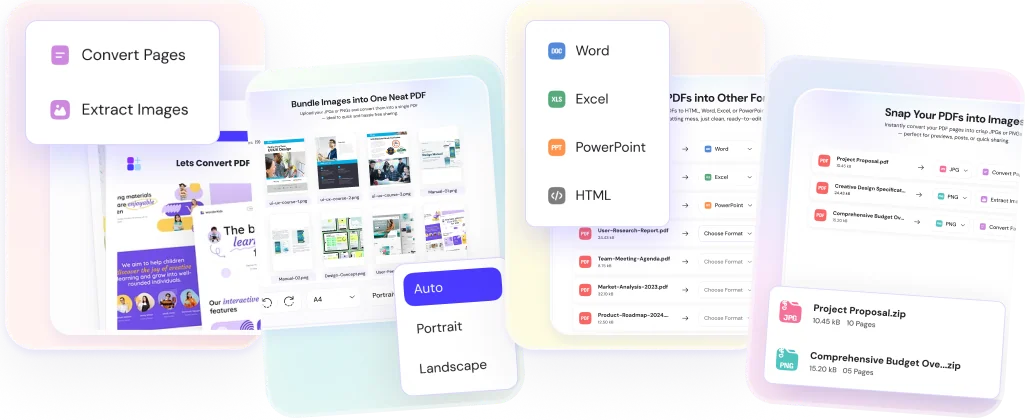

التحويل من وإلى
تحويل PDF إلى Word أو Excel أو PowerPoint أو JPG، وتحويل Word أو Excel أو PPT أو JPG أو PNG إلى PDF بسرعة ودون فقدان التنسيق.
PDF إلى Word و Excel و PPT و HTML
تحويل PDF إلى DOCX و XLSX و PPTX و HTML، وتحويل ملفات DOC و XLS و PPT إلى PDF.
JPG و PNG ⇄ PDF
JPG إلى PDF، PNG إلى PDF، PDF إلى JPG، و PDF إلى PNG بدقة عالية.
مُحول PDF عبر الإنترنت
تحويل PDF إلى تنسيقات قابلة للتعديل مع الحفاظ على النصوص والجداول والصور دون تسجيل أو علامة مائية.

إدارة وضغط و
الملفات
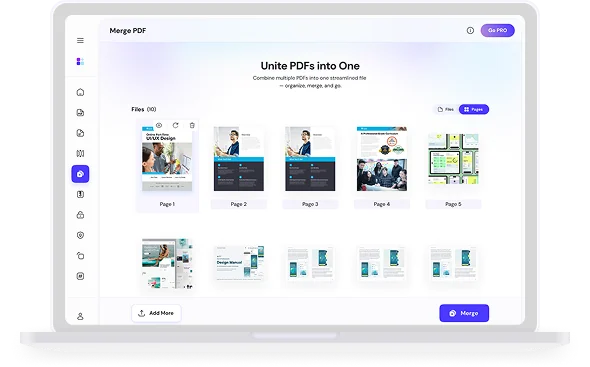
دمج ملفات PDF، تقسيم صفحات PDF، ضغط حجم PDF وحماية مستندات PDF بكلمة مرور عبر الإنترنت.
دمج وتقسيم PDF
دمج عدة ملفات PDF في ملف واحد، أو استخراج الصفحات وتقسيم PDF إلى ملفات منفصلة.
ضغط PDF لتقليل الحجم
تقليل حجم ملف PDF للبريد الإلكتروني والرفع دون فقدان الجودة، ضغط PDF إلى 1 ميجابايت أو أقل.
حماية وإلغاء قفل PDF
حماية وتشفير PDF بكلمة مرور، أو إزالة كلمة المرور من ملف PDF الخاص بك.
أسعار بسيطة، أدوات قوية
ابدأ مجاناً أو قم بالترقية في أي وقت لإزالة القيود والوصول إلى الأدوات المتقدمة تجربة سلسة ومتكاملة.
مجاني
مثالي للمهام السريعة والاستخدام الخفيف.
ما يتضمنه
- 25 مهام / يوم
- حتى 15 ميجابايت حجم الملف
- 1 ملف لكل دفعة
- 25 حفظ بالمحرر
- حتى 20 صور / مهمة
- أدوات PDF الأساسية والمحرر
الأساسي شهرياً
حدود أساسية لسير العمل اليومي النشط.
ما يتضمنه
- 50 مهام / يوم
- حتى 25 ميجابايت حجم الملف
- 1 ملف لكل دفعة
- 50 حفظ بالمحرر
- سجل التحويلات
- حتى 35 صور / مهمة
- الأدوات الأساسية + إضافة صفحة
القياسي شهرياً
ممتاز للمستخدمين المنتظمين الذين يحتاجون قوة إضافية.
ما يتضمنه
- 100 مهام / يوم
- حتى 50 ميجابايت حجم الملف
- 10 ملفات لكل دفعة
- 100 حفظ بالمحرر
- سجل التحويلات
- التعرف الضوئي على النصوص (OCR)
- حماية وإلغاء قفل كلمة المرور
- دعم التحميل الجماعي
البريميوم شهرياً
أقصى حدود وميزات متقدمة للاستخدام المكثف.
ما يتضمنه
- 1,000 مهام / يوم
- حتى 80 ميجابايت حجم الملف
- 20 ملفات لكل دفعة
- حفظ غير محدود بالمحرر
- حتى 200 صور / مهمة
- سجل التحويلات
- التعرف الضوئي على النصوص (OCR)
- حماية وإلغاء قفل كلمة المرور
- دعم التحميل الجماعي
- أولوية قائمة المعالجة
إعادة ترتيب وتدوير و
ملفات PDF
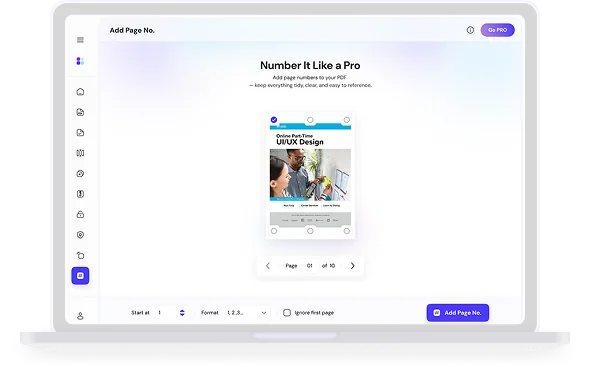
تدوير صفحات PDF، إعادة ترتيب صفحات PDF وإضافة أرقام الصفحات بطريقة منظمة ومحاذية تماماً كما تريد.
إعادة ترتيب صفحات PDF
السحب والإفلات لإعادة ترتيب وتنظيم وحذف الصفحات من ملف PDF.
تدوير صفحات PDF
تدوير PDF وحفظه بشكل دائم لتعديل الصفحات المقلوبة بضغطة واحدة.
إضافة أرقام الصفحات إلى PDF
إدراج أرقام الصفحات في PDF بأي موضع وتنسيق للحفاظ على تنظيم المستندات.


جميع أدوات PDF عبر الإنترنت في مكان واحد
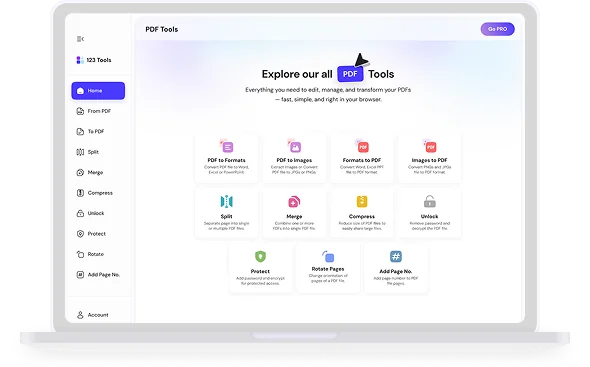
تحويل، دمج، تقسيم، ضغط، تعديل، حماية، إلغاء قفل وتنظيم ملفات PDF الخاصة بك بسهولة.
PDF إلى Word
تحويل مستندات PDF إلى ملفات Microsoft Word قابلة للتعديل مع الحفاظ على النص والتنسيق والتخطيط.
PDF إلى Excel
استخراج الجداول والبيانات من مستندات PDF مباشرة إلى جداول بيانات Excel قابلة للتعديل.
PDF إلى PPT
تحويل عروض PDF التقديمية إلى شرائح PowerPoint قابلة للتعديل (PPTX).
PDF إلى HTML
تحويل مستندات PDF إلى كود HTML نظيف ومتوافق مع الويب.
PDF إلى JPG
استخراج الصور أو تحويل كل صفحة من مستند PDF إلى صور JPG عالية الجودة.
PDF إلى PNG
استخراج الصور أو تحويل صفحات PDF إلى صور PNG عالية الدقة.
Word إلى PDF
تحويل مستندات Microsoft Word (DOCX, DOC) إلى صيغة PDF فوراً.
Excel إلى PDF
تحويل جداول بيانات Excel (XLSX, XLS) إلى ملفات PDF احترافية ونظيفة.
PPT إلى PDF
تحويل عروض PowerPoint التقديمية إلى صيغة PDF لسهولة المشاركة.
JPG إلى PDF
تحويل صور JPG, JPEG إلى مستند PDF واحد أو مستندات متعددة.
PNG إلى PDF
تحويل صور PNG إلى PDF مع الحفاظ على الشفافية والجودة.
تعديل PDF
إضافة النصوص والأشكال والتعليقات والرسومات إلى مستندات PDF عبر الإنترنت.
تقسيم PDF
فصل ملف PDF إلى صفحات فردية أو استخراج نطاقات صفحات محددة.
دمج PDF
دمج عدة ملفات PDF في مستند واحد منظم خلال ثوانٍ.
ضغط PDF
تقليل حجم ملف PDF مع الحفاظ على أفضل جودة للمستند والصور.
إلغاء قفل PDF
إزالة حماية كلمة المرور والقيود من ملفات PDF المؤمنة.
حماية PDF
تشفير مستندات PDF الخاصة بك بكلمة مرور قوية لمنع الوصول غير المصرح به.
التعرف الضوئي OCR
التعرف على النصوص في مستندات PDF الممسوحة ضوئياً وجعلها قابلة للبحث والتعديل.
تدوير PDF
تدوير صفحات PDF الفردية أو المستندات بأكملها إلى الوضع العمودي أو الأفقي.
إضافة أرقام الصفحات
إدراج أرقام صفحات ورؤوس وتذييلات قابلة للتخصيص في ملفات PDF.
تنظيم PDF
أعد ترتيب الصفحات وأدرها وكرّرها واحذفها عبر شبكة صفحات مرئية، ثم احفظ ملف PDF الجديد.
حذف صفحات PDF
احذف الصفحات غير المرغوب فيها من ملف PDF بالنقر عليها أو بكتابة نطاقات الصفحات.
علامة مائية لـ PDF
أضف علامة مائية نصية إلى كل صفحة بحجم ولون وزاوية وشفافية مخصصة.
اقتصاص PDF
اقتطع الهوامش من كل صفحة في ملف PDF لإزالة المساحات البيضاء أو الحواف غير المرغوبة.
توقيع PDF
ارسم توقيعك أو اكتبه أو ارفعه وضعه في أي مكان على ملف PDF.
تعبئة نموذج PDF
اكتب في النماذج وضع علامات الاختيار وأضف نصًا إلى أي ملف PDF دون طباعته.
حجب محتوى PDF
احجب النصوص والصور الحساسة نهائيًا. تُسطَّح الصفحات المحجوبة فلا يمكن استرجاع شيء.
تسطيح PDF
حوّل حقول النماذج والتعليقات التوضيحية إلى محتوى ثابت في الصفحة فلا يمكن تعديلها بعد ذلك.
إصلاح PDF
أعد بناء ملف PDF التالف أو الذي يصعب فتحه واسترد أكبر عدد ممكن من الصفحات.
مقارنة PDF
قارن بين إصدارين من PDF صفحةً بصفحة وانظر أي نص أُضيف أو أُزيل.
PDF إلى نص
استخرج كل النص من ملف PDF إلى ملف .txt عادي يمكنك نسخه والبحث فيه.
استخراج صور PDF
استخرج كل صورة مضمّنة في ملف PDF ونزّلها معًا في ملف ZIP.
HTML إلى PDF
حوّل شيفرة HTML أو ملف .html إلى ملف PDF نظيف قائم على النص.
WebP إلى PDF
ادمج صور WebP في ملف PDF واحد، صورة واحدة لكل صفحة.
HEIC إلى PDF
حوّل صور HEIC من الآيفون إلى PDF دون الحاجة إلى تصديرها أولاً.
مسح ضوئي إلى PDF
استخدم كاميرا هاتفك لمسح المستندات الورقية ضوئيًا مباشرة إلى ملف PDF.
أحدث مقالات المدونة
ابق على اطلاع بأحدث النصائح والأدلة والأخبار لدينا.
